Create on-brand emails, connect with your audience, and grow your business, all while spending less time on email creation.
Updated November 2026
Friends, the best email marketing platform for your small business isn't necessarily the one with the most features. It's the one that fits your goals, budget and day-to-day workflow, while making it easier to create on-brand emails, connect with your audience and stay consistent. That's what we love about using Flodesk!
If you've been struggling to find the right fit for your business, this blog is for you. We're breaking down what to look for in an email marketing platform and sharing a little peek at how we create our own emails, too!
We're a Flodesk Partner, and this post contains an affiliate link. We may earn a commission if you sign up through our link.
What should you consider before choosing an email marketing platform?
Start by thinking about what you need the platform to do for your business, how much time you can realistically spend creating emails and what you're comfortable investing. The right platform should support your goals today while giving you room to grow.
Here are a few questions to ask yourself before choosing one:
What are you hoping to achieve? Are you sending a regular newsletter, promoting your services or nurturing potential clients? Your goals will influence which tools you actually need.
How often will you send emails? If you plan to send weekly newsletters or regular campaigns, an easy-to-use editor can make a big difference to your workflow.
How much control do you want over the design? Think about whether you need branded templates, customisation options or a simple way to create professional-looking emails.
What tools will you need as you grow? Consider whether you'll eventually need sign-up forms, audience segmentation or automated email sequences.
What fits your budget? Look beyond the starting price. Check whether the cost changes as your subscriber list grows and whether the features you need are included.
Once you know what matters to your business, it's time to look at the features that can make your day-to-day email creation easier. And a good place to start:
Does it offer a brand setup?
Yes! A platform that lets you save your brand details in one place can save you from repeating the same design steps every time you create an email.
We send our newsletter every week, so imagine having to select our brand colours, fonts and button styles from scratch every time. No thanks!
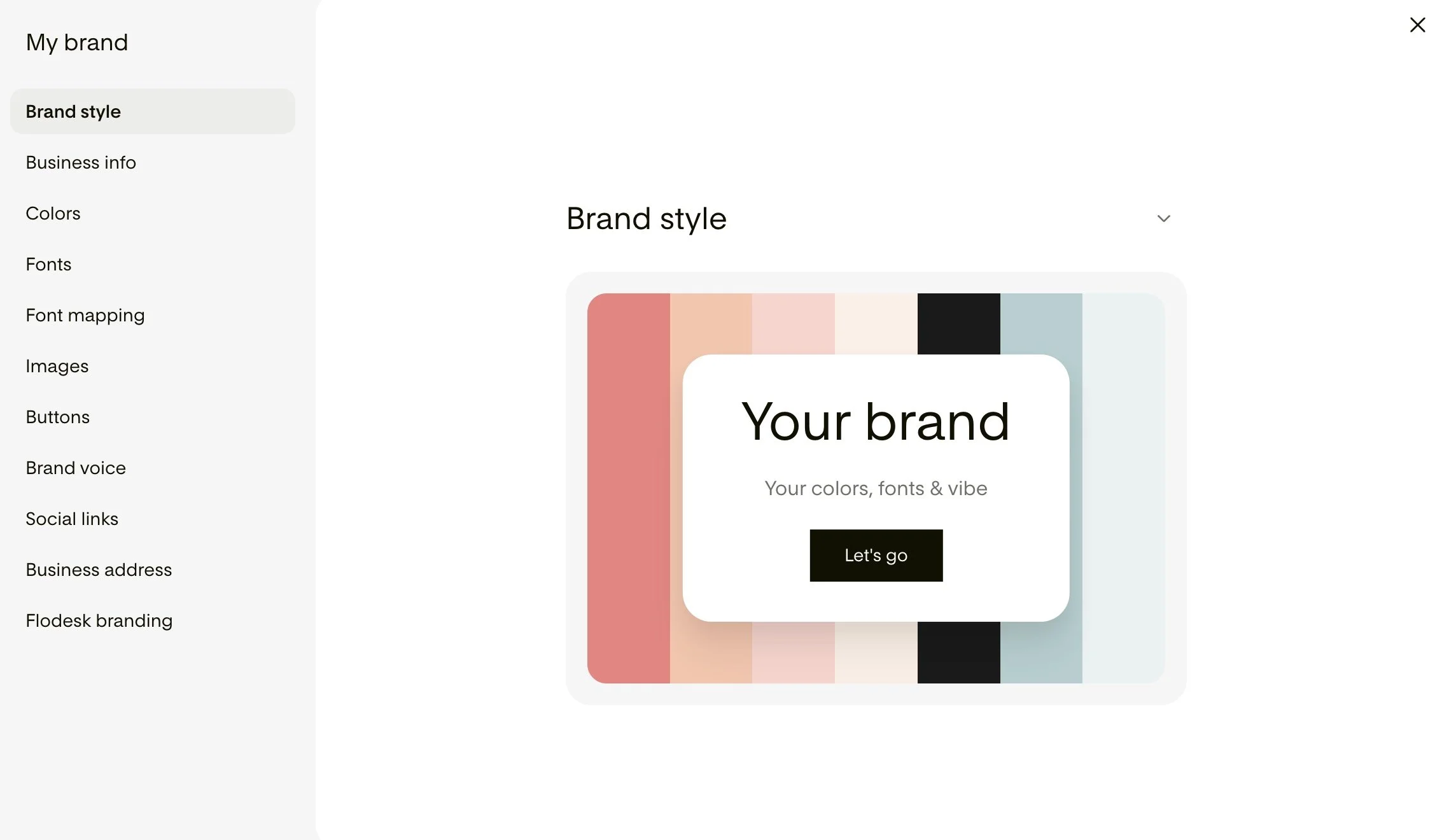
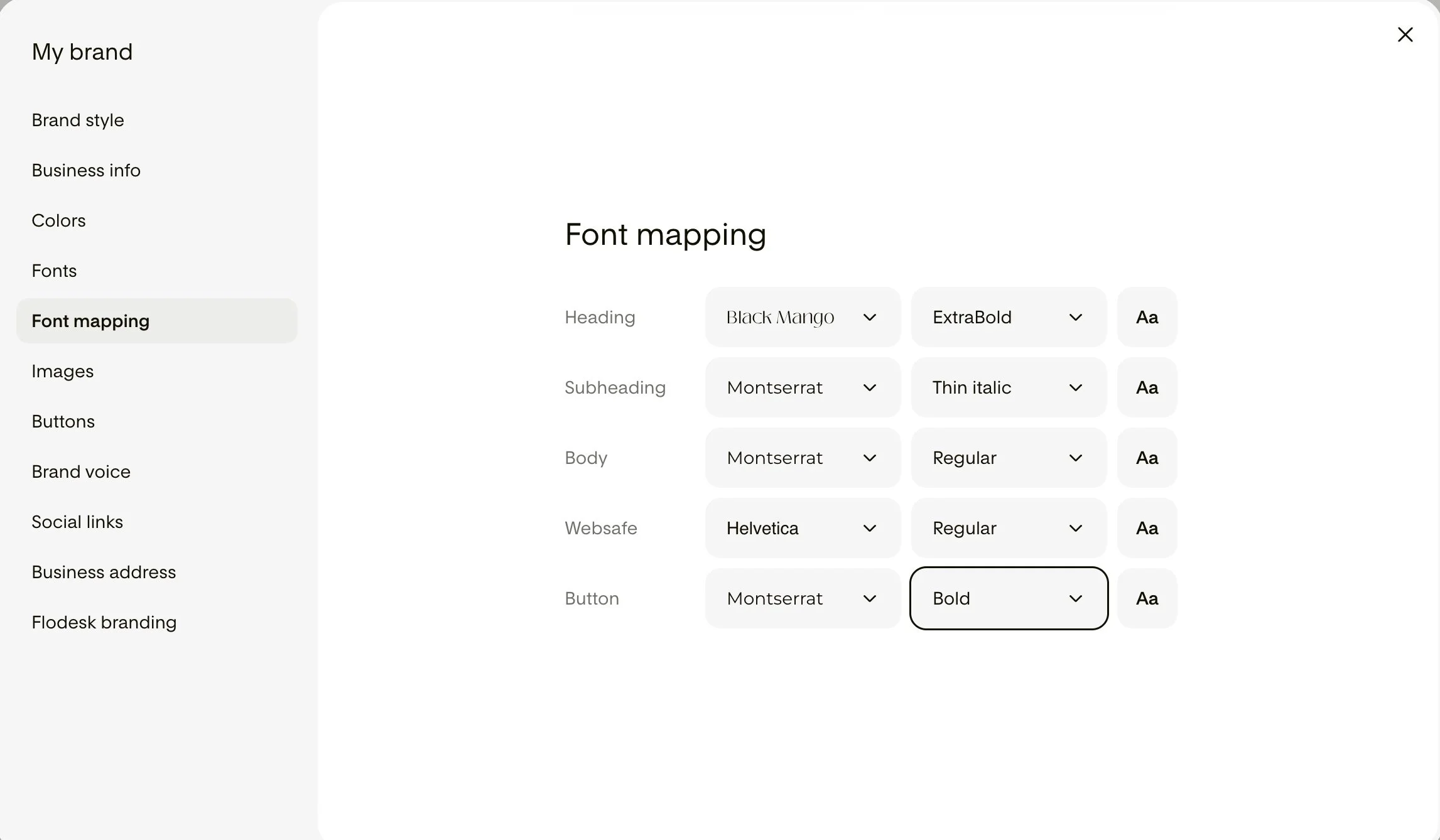
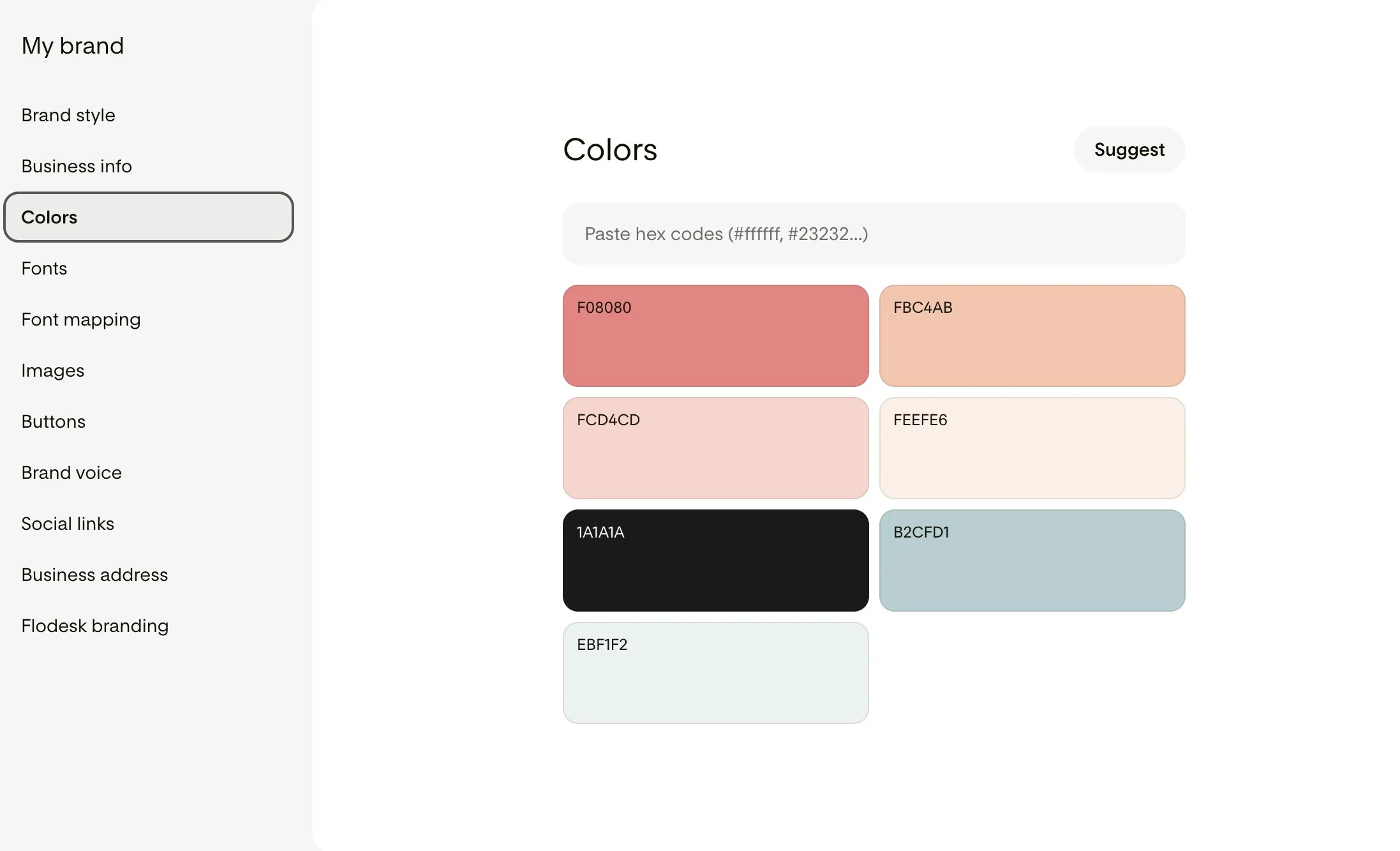
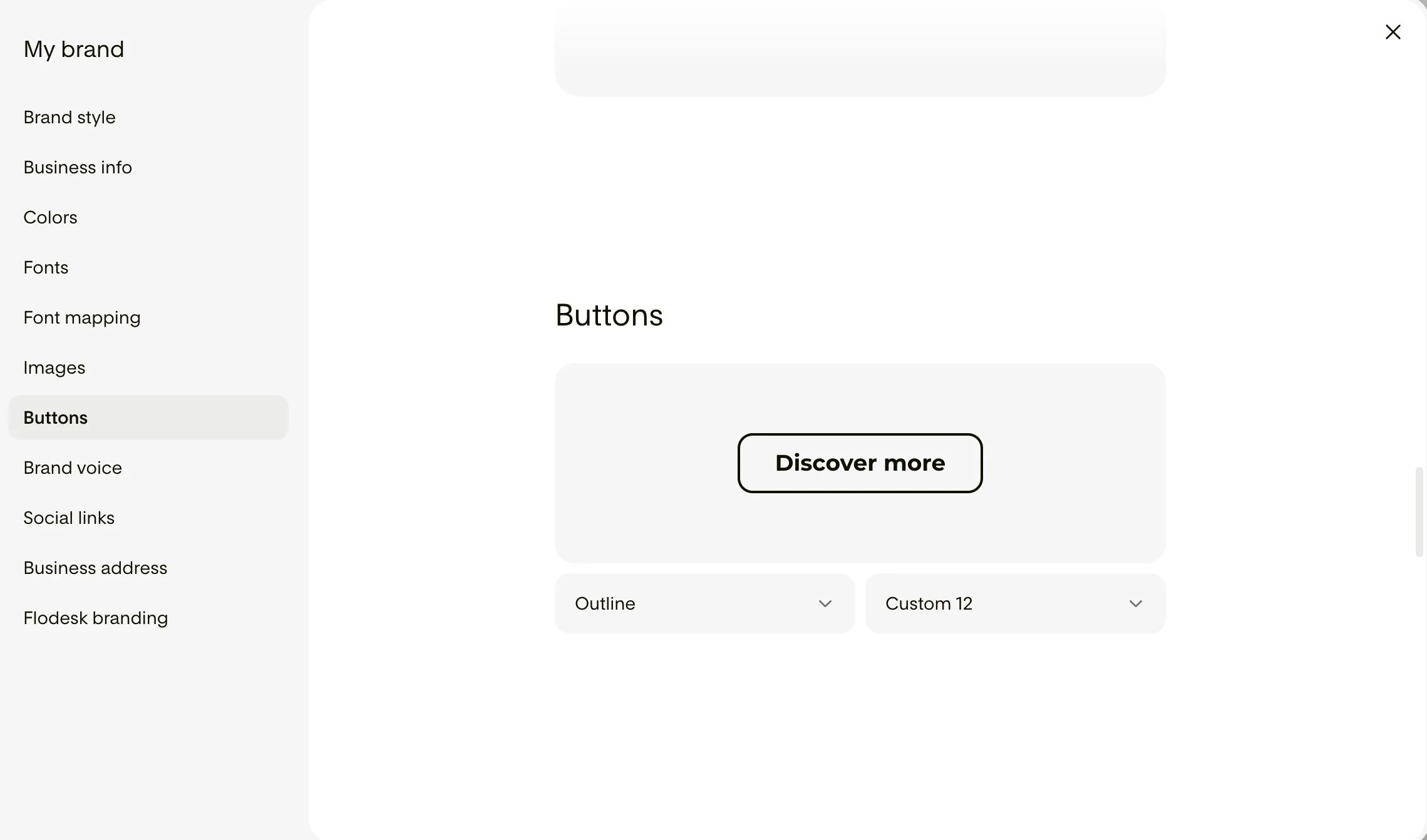
We've been using Flodesk for our email marketing for over a year. It lets us save our logo, brand colours, fonts and company details in one place. The new builder takes brand customisation further with options like:
Brand style: Choose a visual style for your emails.
Font mapping: Set fonts for headings, subheadings and body text.
Brand or bio image: Add an image that represents your business.
Buttons: Set your preferred colours, styles and shapes.
Brand voice: Give guidance on how your business communicates.
The result? Less time repeating the same setup and more consistent emails, without having to think about every little design detail.
Is the email editor easy to navigate?
It should feel intuitive, offer a straightforward editing experience and make customising your emails easy, even if you're not particularly tech-savvy.
Look for features that let you:
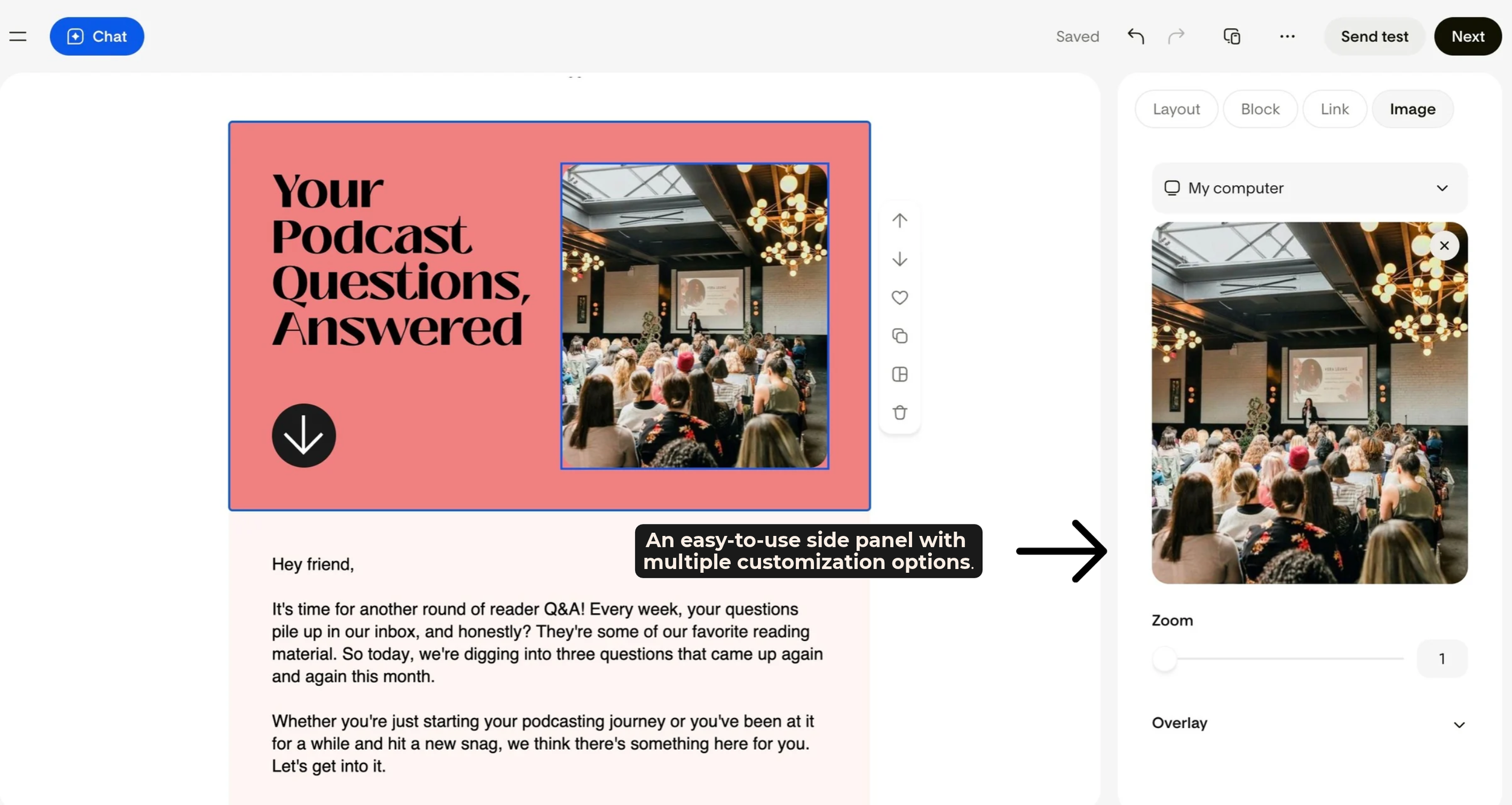
Find what you need easily: A clear, organised interface means less time clicking through multiple menus.
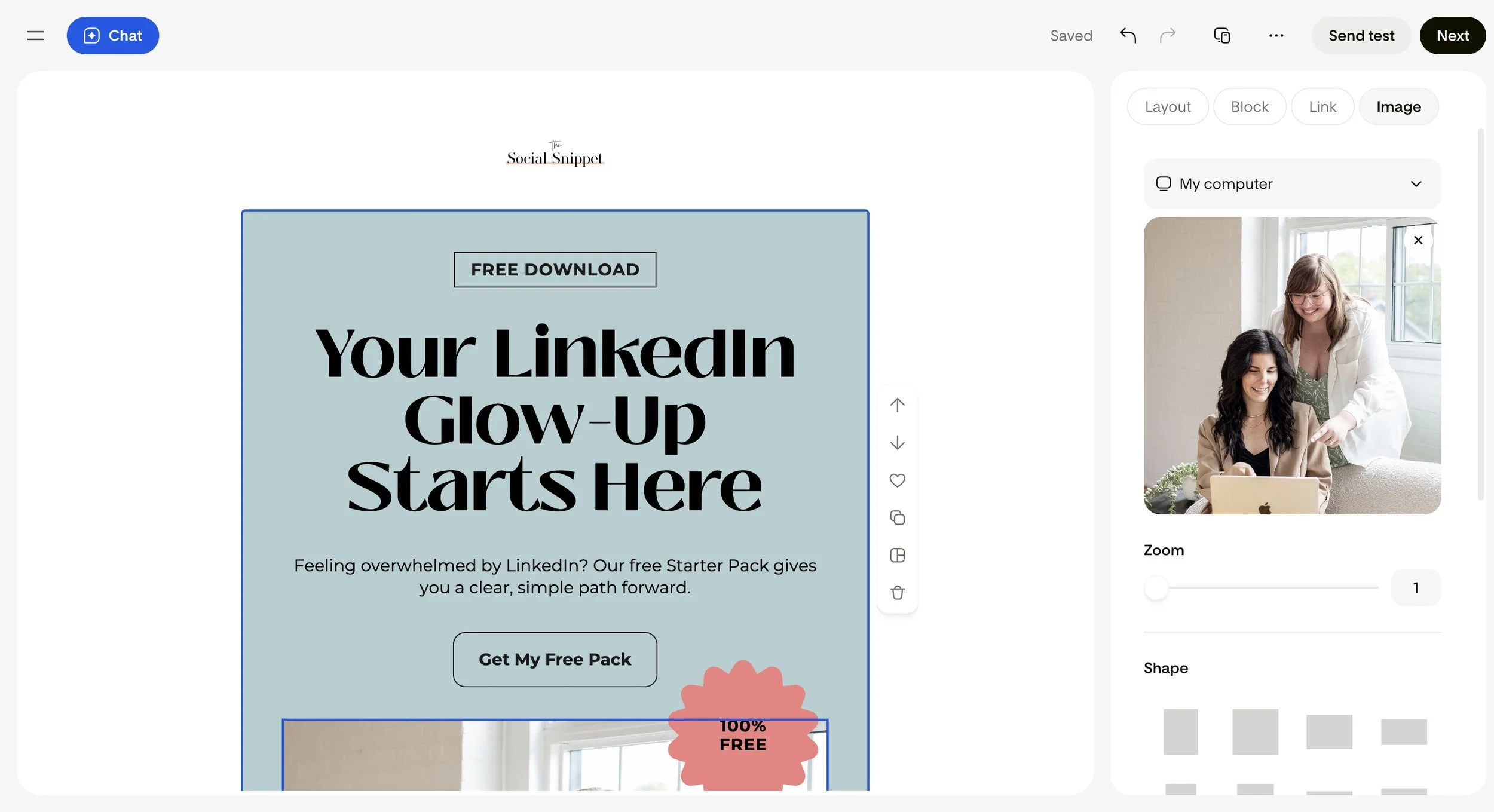
Make edits quickly: Click directly on text, images and other elements to make changes.
Arrange your content: Add, move and customize sections to match your email's message and design.
Preview before sending: See how your email will look to subscribers across different devices.
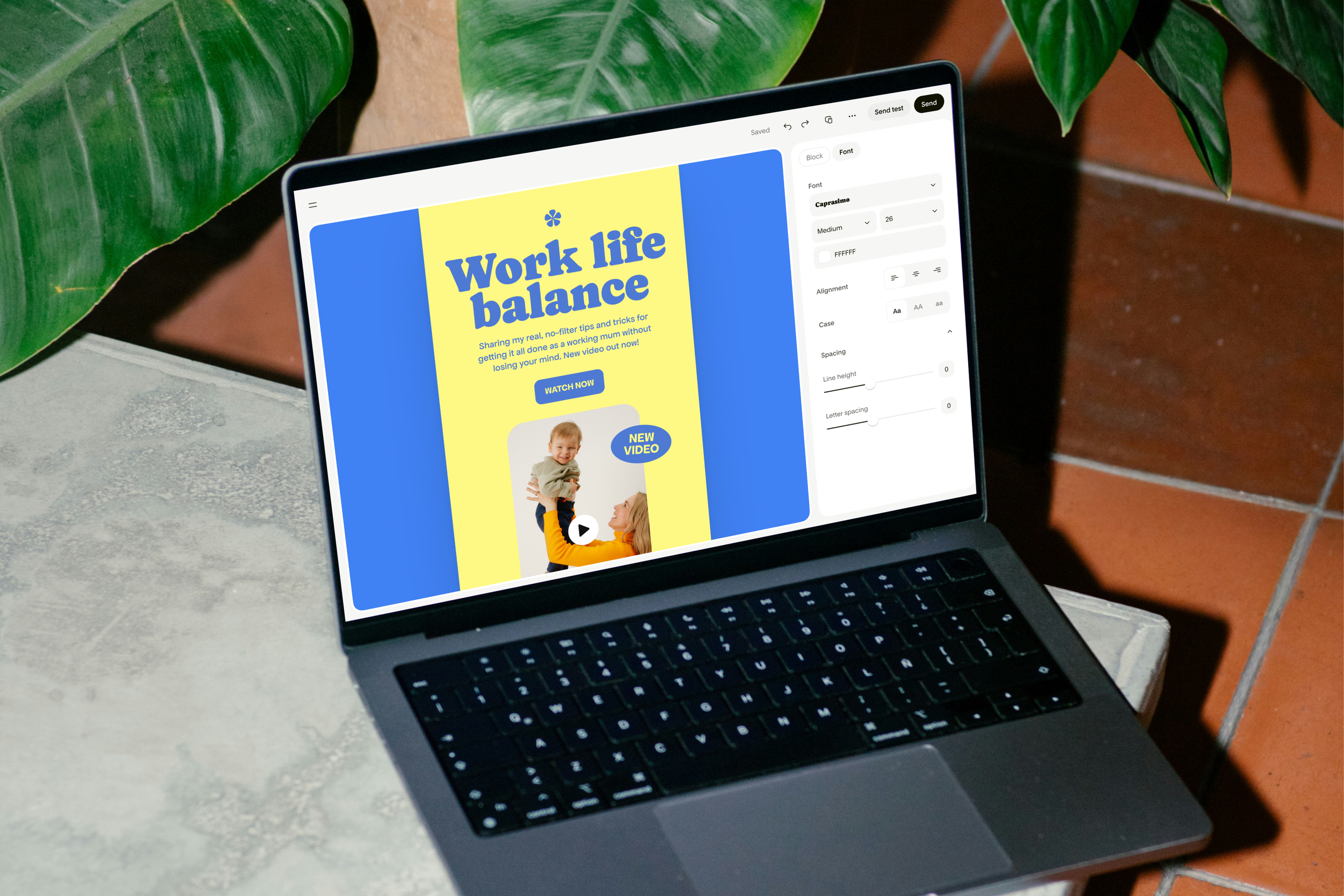
A behind-the-scenes look at one of our emails in the Flodesk editor.
P.S. On the go? No problem! Flodesk now lets you build, edit and send emails right from your phone. Email marketing just got a whole lot more flexible!
Does the platform offer AI tools for email marketing?
AI can be a helpful starting point when you're short on time or struggling to turn an idea into an email. The key is finding a tool that helps you get past the blank page while still giving you room to shape the message in your own voice.
Flodesk's Prompt to Create does exactly that. Simply describe the email you have in mind, answer a few follow-up questions about your goals and audience, and Flodesk generates three email options. Pick your favourite, make any changes you'd like and customise it before sending.
Of course, AI is a starting point, not a replacement for your input. Review the draft, refine the copy, check the details and make sure it sounds like your brand and speaks to your audience. The more context you give AI, the better your starting point will be.
Here's how we use Flodesk's Prompt to Create to turn an email idea into a draft we can customise and make our own:
Step 1: Set our brand style: We start by setting up our brand details under "My Brand", including our colours, fonts and preferred styles, so our emails remain consistent.
Step 2: Turn on AI: We head to Account Settings > AI and make sure the AI feature is enabled.
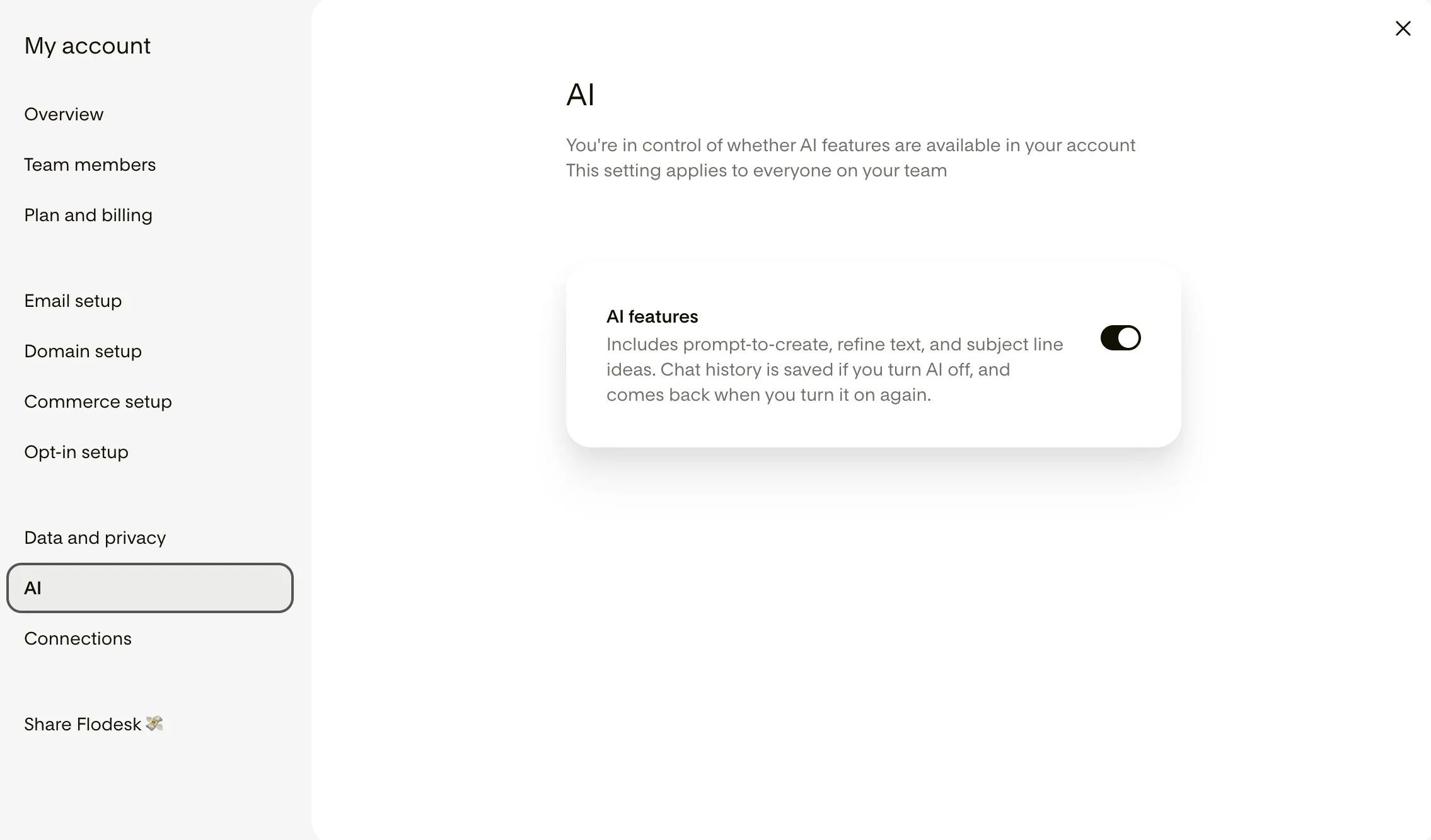
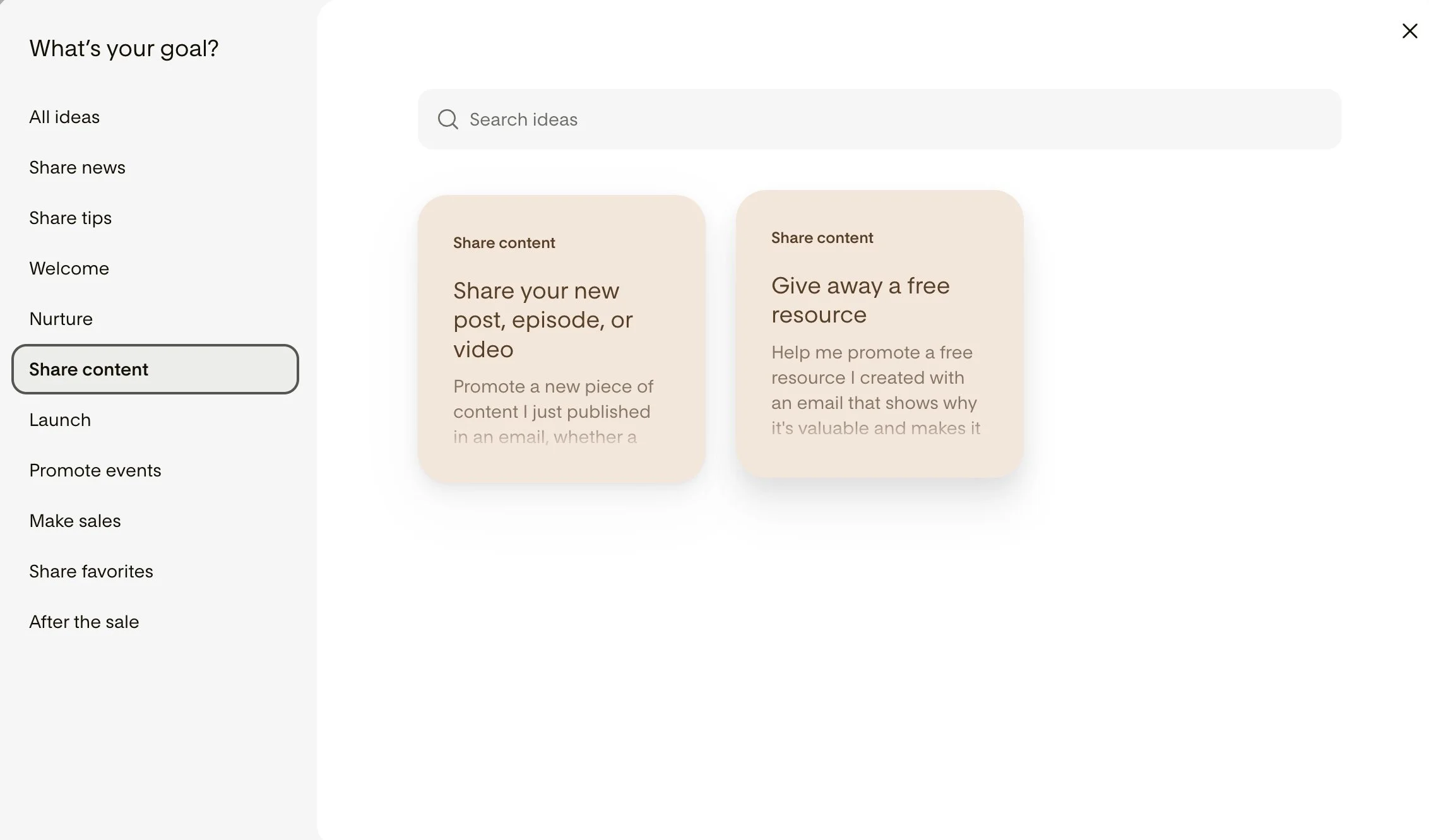
Step 3: Start with a prompt: We open a new chat and either write our own prompt or choose one of Flodesk's suggested prompts to get the ideas flowing.
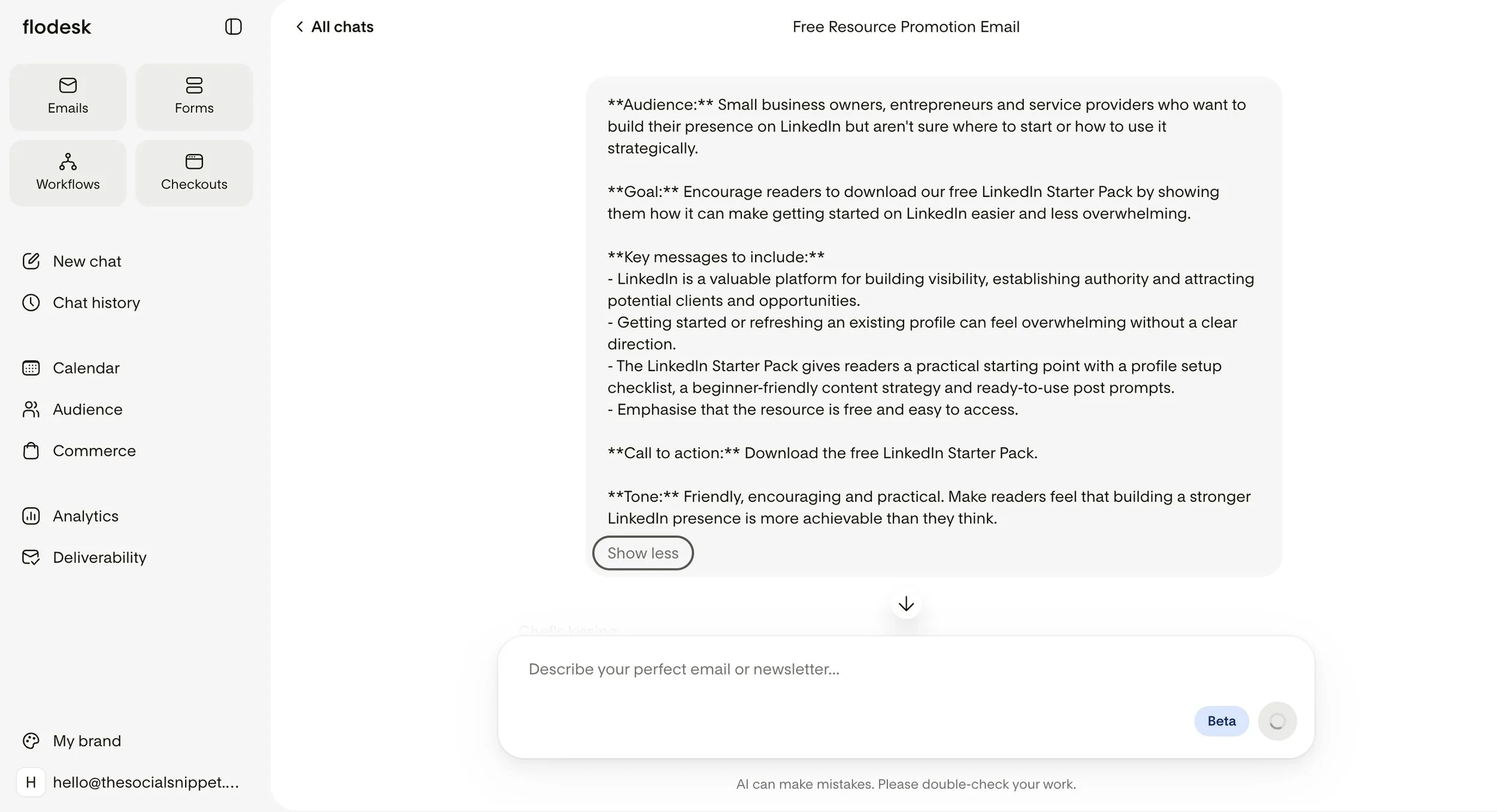
Step 4: Give it the context: This is where we get specific! We explain who the email is for, what we want it to achieve and what we'd like readers to take away. We also include any key messages, talking points or CTAs we want featured.
Step 5: Explore the options: Flodesk generates three email options for us to choose from. If none feels quite right, we can ask for more variations until we find a direction we like.
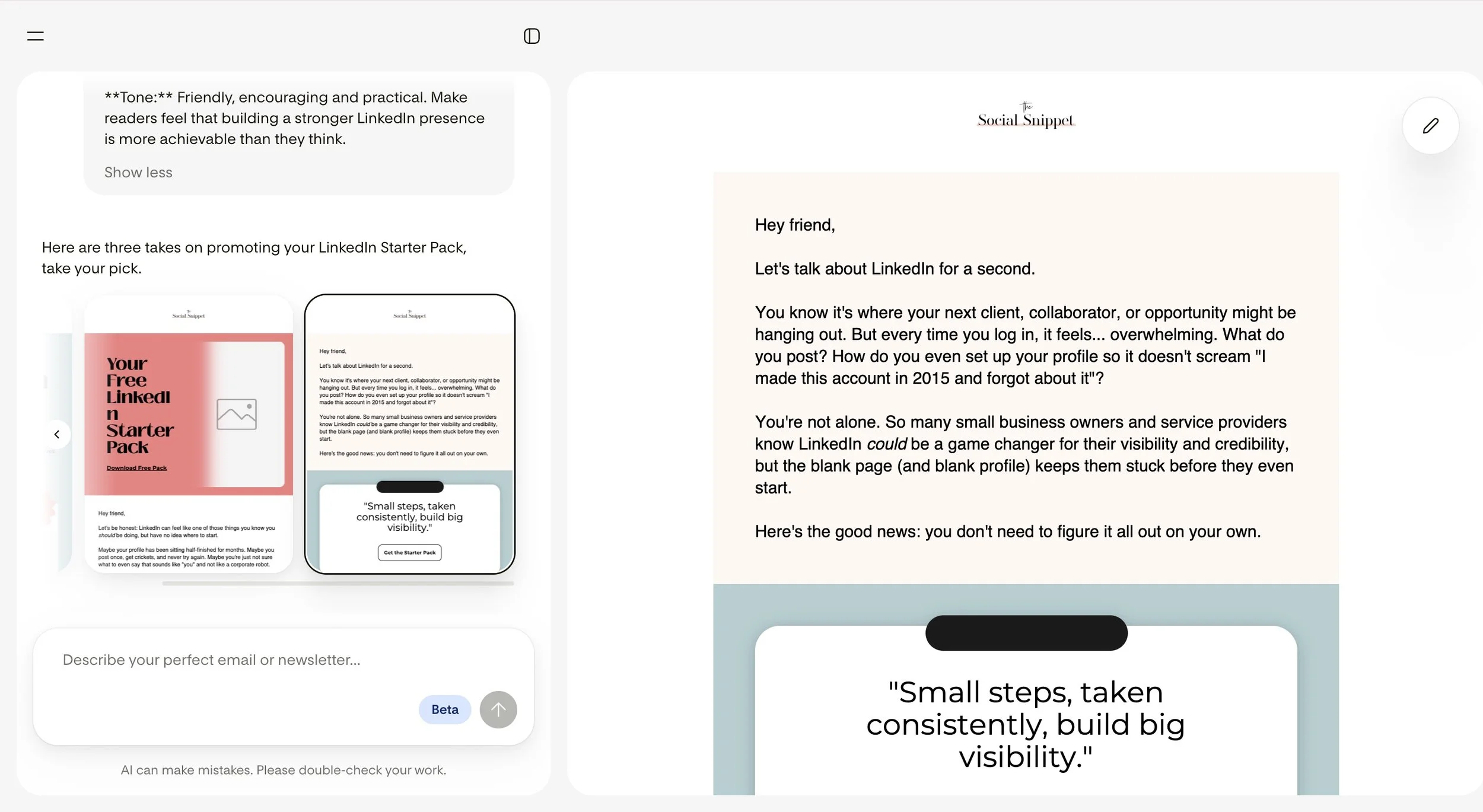
Step 6: Make it our own: We choose our favourite draft, edit the copy, customise the design and fine-tune the details before giving it a final review and sending it out.
How do you grow and manage an email list?
You can grow your email list by giving people a reason to sign up, like a free resource, newsletter or exclusive offer, and making it easy to subscribe through website forms and landing pages. Once they're on your list, you need tools to organise subscribers, create segments and send relevant emails through automated workflows.
When choosing a platform, make sure it helps you do both, from collecting new subscribers to sending them relevant emails over time.
Can you create sign-up forms to grow your email list?
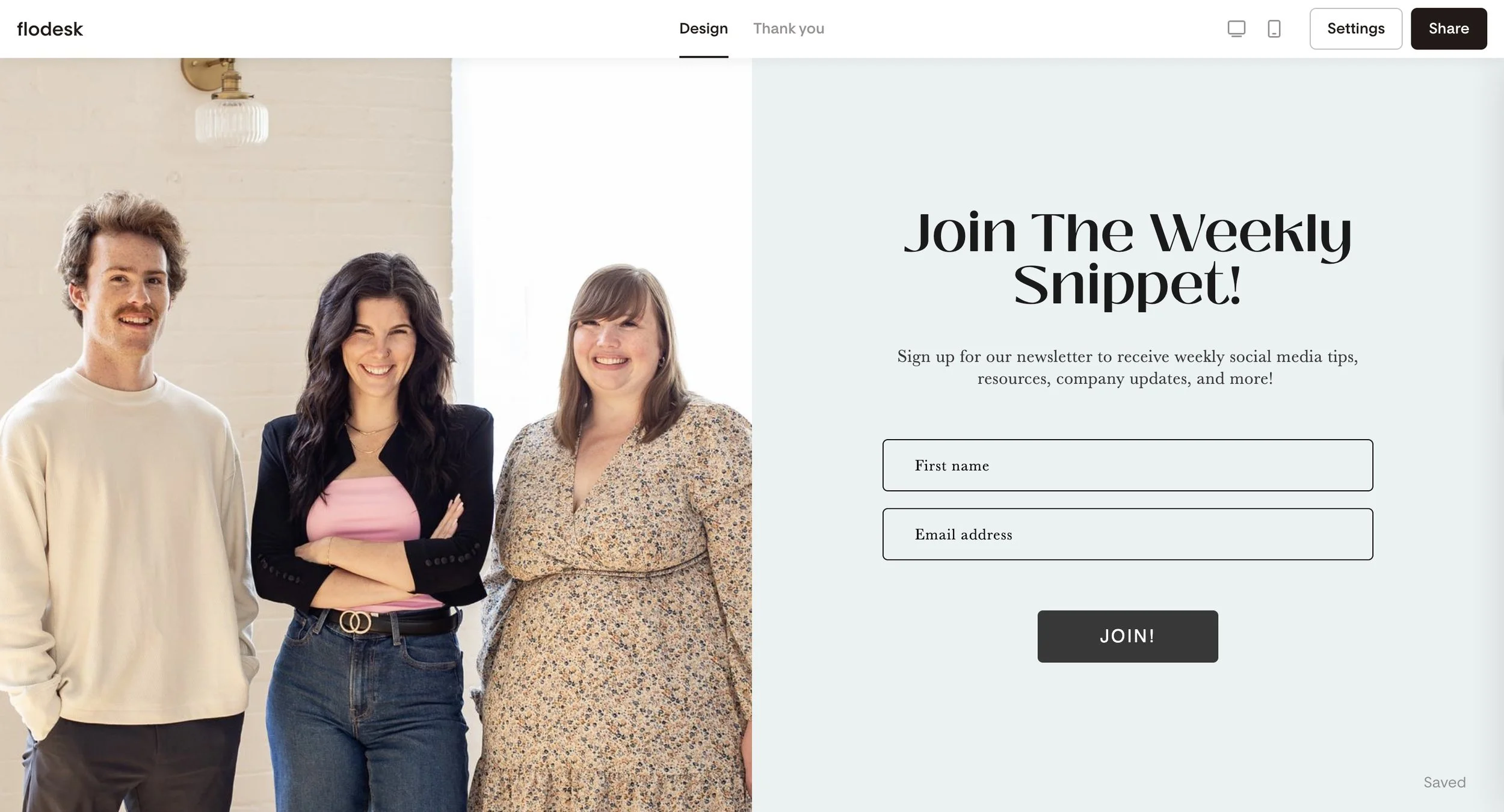
Let's start with the first step: giving people an easy way to join your list. Look for a platform that lets you create on-brand sign-up forms, embed them on your website and share them across your social channels.
With Flodesk, you can create forms that fit your brand and connect directly to your email marketing.
Here's a look at the newsletter sign-up form we created using Flodesk:
Can you segment your email list?
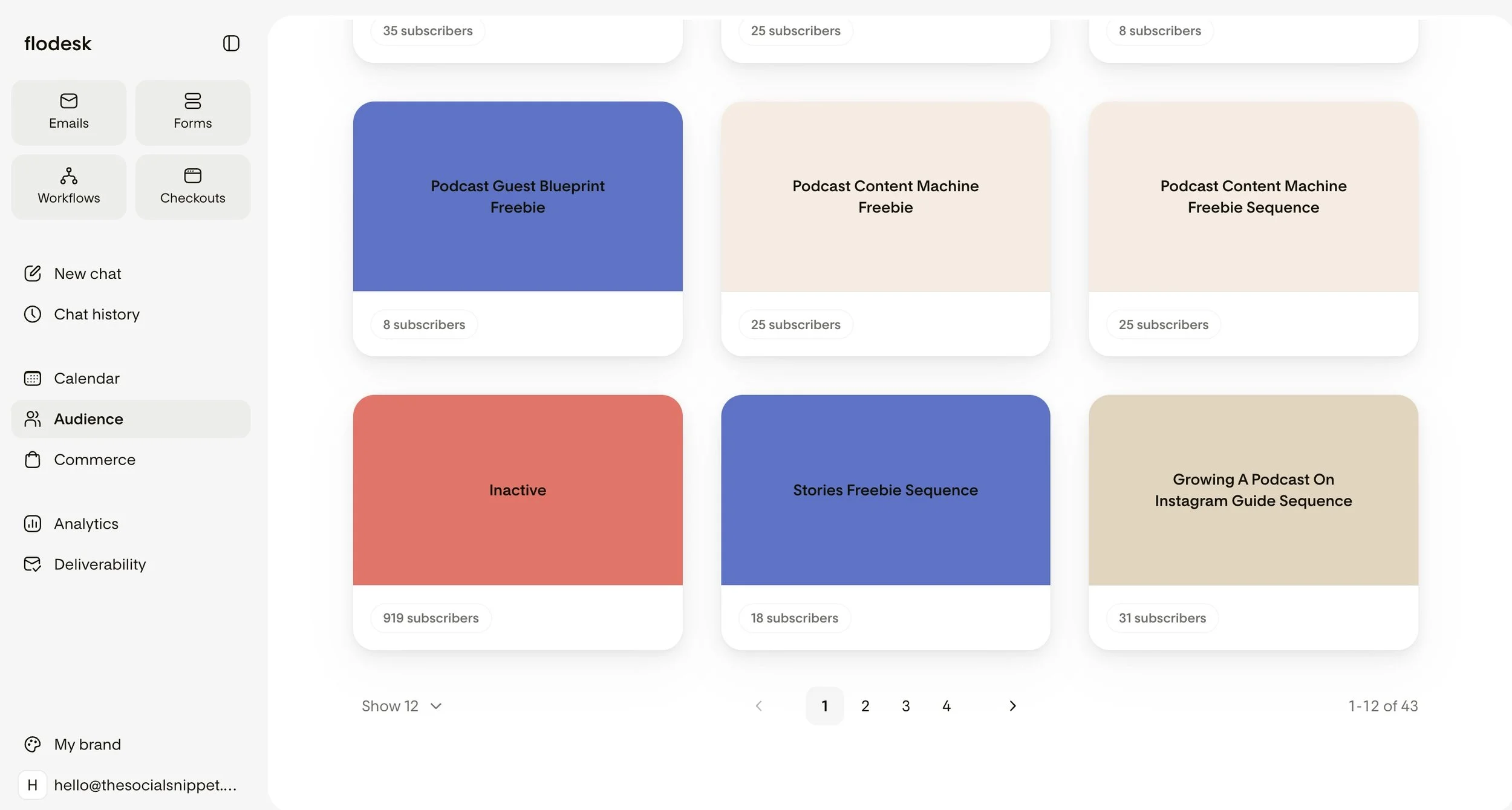
Email segmentation lets you organise subscribers into groups based on their interests, actions or where they are in their customer journey. This means you can send more relevant emails instead of sending the same message to everyone.
This is worth looking into because not everyone on your email list is interested in the same things, right? Someone who just discovered your business might need an introduction, while an existing client may be more interested in your latest updates or offers.
Here's a look at how we organise our segments in Flodesk:
Can you automate your email marketing?
Email automation lets you set up messages or sequences that are triggered by specific actions, such as someone joining your list or signing up for a free resource.
Imagine having to manually send a welcome email every time someone subscribes to your newsletter. Not exactly the best use of your time!
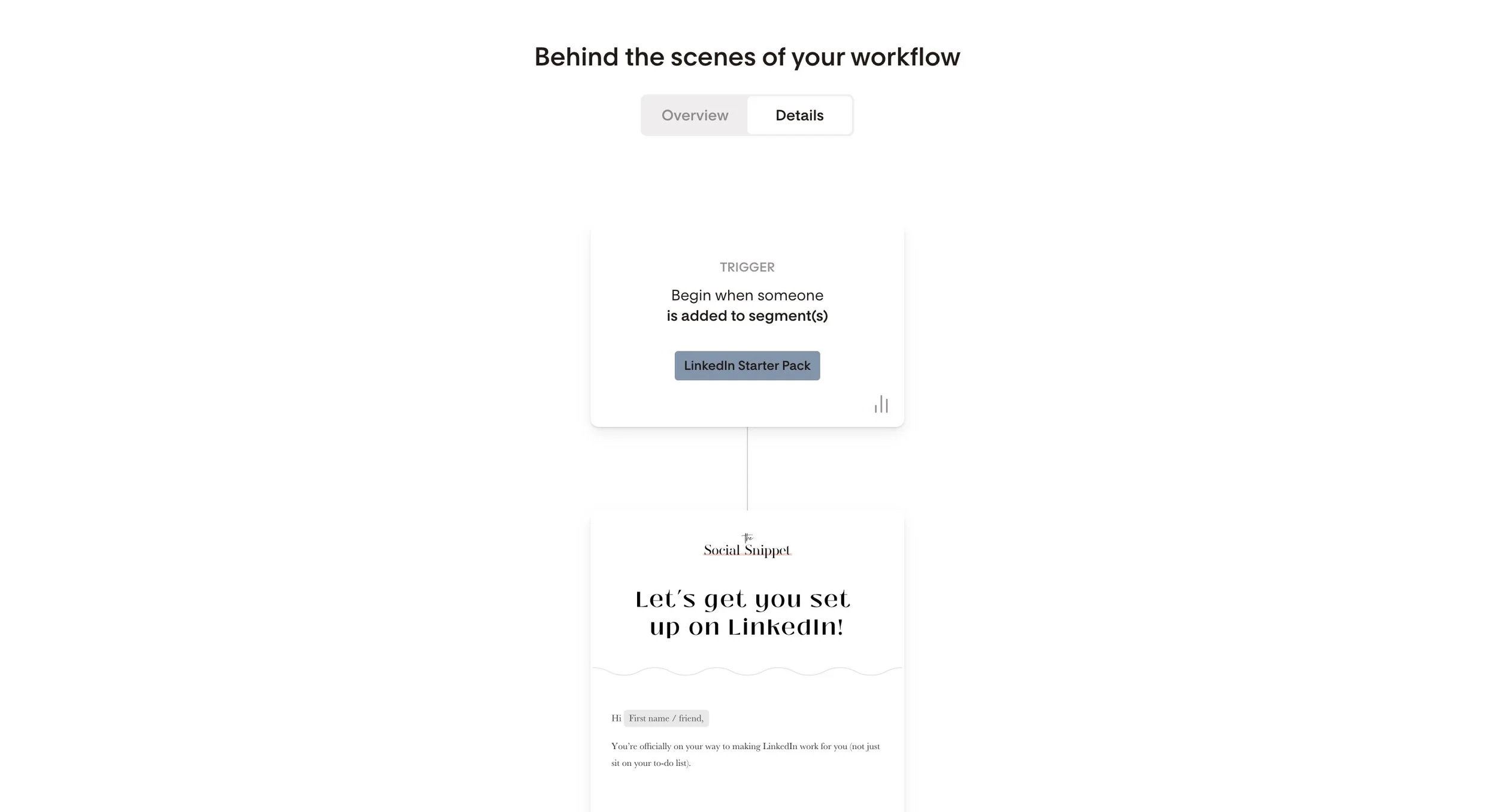
Flodesk's workflows let you automate these emails, so subscribers receive the right messages without you having to send each one manually.
Here's how these tools work together in Flodesk:
Create a sign-up form: Set up an on-brand form where visitors can enter their email address to access a free resource, such as our LinkedIn Starter Pack.
Organise new subscribers: Connect the form to a segment called "LinkedIn Starter Pack" so everyone who signs up is automatically grouped together.
Set up an automated delivery email: Create a workflow triggered by "Added to segment: LinkedIn Starter Pack" so subscribers automatically receive an email with their free resource.
Keep the conversation going: Follow up with helpful tips, content ideas and relevant resources to build the relationship beyond the initial download.
The best part? Your forms, segments and workflows are connected within Flodesk. You can manage the entire subscriber journey in one place, without juggling multiple tools or manually moving people between them.
How much does email marketing cost for a small business?
Email marketing costs vary depending on the platform, your subscriber count and the features you need. Some platforms increase their prices as your list grows, so it's worth looking beyond the starting price and thinking about what you'll be paying down the road.
Some platforms also offer free plans, which can be a great place to start when you're building your email list. Just keep an eye on subscriber limits, email-sending allowances and the features included, so you know when it might be time to upgrade.
Does email marketing pricing increase as your list grows?
It depends on the platform. Some charge based on the number of subscribers you have, which means your monthly bill can go up as your audience grows.
But we come bearing good news for all our small business owners! Flodesk is one flat price with unlimited subscribers and unlimited emails, so growing your list never grows your bill.
Want to give it a try? Use our link to get 25% off your first year: https://flodesk.com/c/SOCIALSNIPPET
We're a Flodesk Partner, so we may earn a commission if you sign up through our link.
Our Final Thoughts on How do you choose the right email marketing platform for your business?
As we've said from the start, the right email marketing platform is one that fits your business, your budget and the way you like to work. Before making a decision, get clear on what you want to achieve with email marketing and whether the platform can help you get there without making things unnecessarily complicated or expensive.
If you're a small business owner looking for an easy-to-use platform with beautiful email designs, built-in brand settings and tools to grow and nurture your audience, Flodesk is definitely worth exploring. It's a great option if you want to create on-brand emails without spending hours figuring out complicated tools.
At the end of the day, don't choose a platform just because it has the longest list of features.
Choose one that makes email marketing feel manageable and fits into your day-to-day workflow. The less overwhelmed you feel, the easier it is to stay consistent, show up for your audience and build meaningful connections with them.
Frequently asked questions about email marketing
Is email marketing still worth it for small businesses?
Absolutely! Your email list is an audience you own, giving you a direct way to connect with your subscribers without relying on social media algorithms to get your content seen. You can build relationships, share valuable content and keep your business top of mind, all through a channel you have more control over.
How many subscribers do I need before starting email marketing?
You don't need thousands of subscribers to get started! Focus on attracting the right people by giving them a reason to join your list. This could be a free guide, checklist, exclusive resource or helpful content they won't find anywhere else.
What features should I look for in an email marketing platform?
Start with the essentials: an easy-to-use email editor, branded templates, sign-up forms, audience segmentation and email automation. Depending on your goals, you may also want AI-assisted email creation tools and integrations with the other platforms you use.
Ready to make email marketing a little easier? Give Flodesk a try and get 25% off your first year through our link.
We're a Flodesk Partner, and the link above is an affiliate link. We may earn a commission if you sign up through it.
Want more practical tips to help you grow your business and make the most of your online presence? Join The Weekly Snippet, our newsletter packed with social media insights, marketing tips and ideas you can put into action.
Need a little extra support with your social media marketing? Get in touch with The Social Snippet team via our socials or website. We'd love to hear from you!